Huawei E3276 Airtel detect and unlock guide
Download Huawei Huawei E3276 Airtel Bharti unlocker software
Launch software
If there is no DC-Unlocker/Rocker/Vygis or Infinity dongle connected to PC, then log in screen will appear. Use your account details to log in, otherwise you have a possibility to access software with free account that will allow you only to detect device
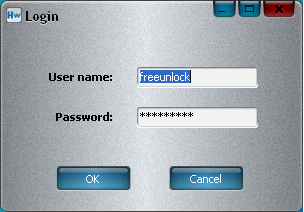
How to get Username/Password check here
Afterwards, Huawei E3276 Airtel Bharti unlocker software window will appear
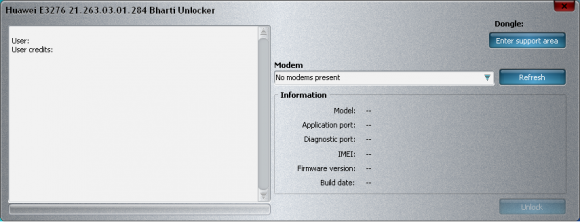
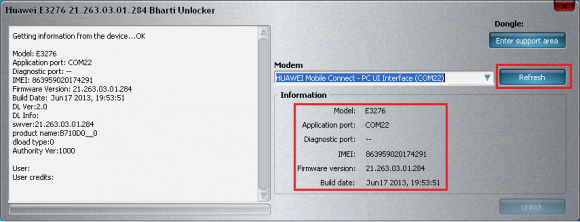
Connect Huawei E3276 to PC then check adapter binding settings like shown here. Afterwards wait minute or 2 until it is recognized on computer then click "Refresh" button, wait for device to be detected on software
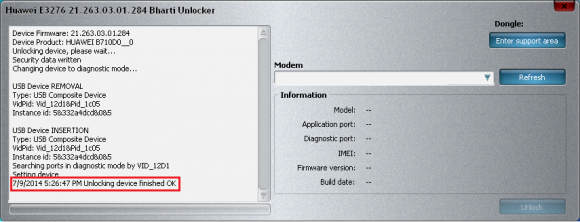
Click "Unlock" button, monitor process
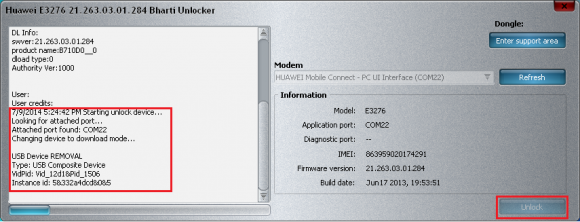
At the end a message will appear that unlock has beeen completed successfully
Restart device to finish the process. Now device is unlocked and usable with other operator sim cards