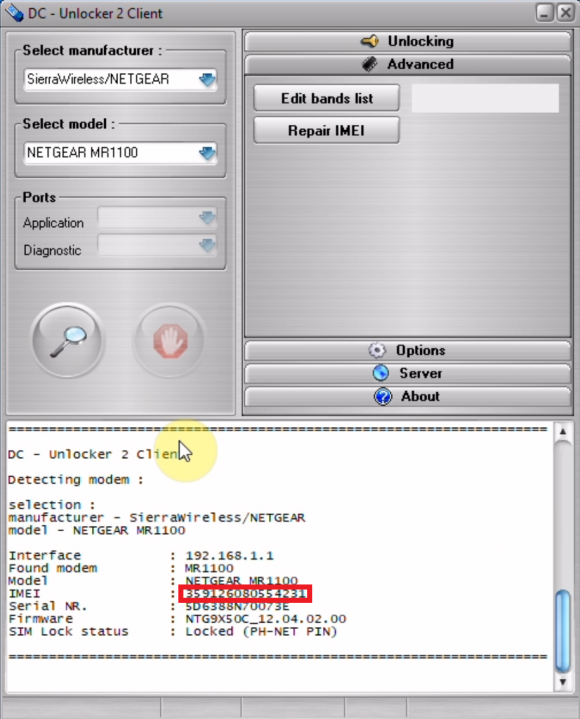
NETGEAR Nighthawk MR1100 IMEI repair
Unlock prices for users with user account
Unlock prices for users with dongle
We support only repair to original IMEI
Warning: After using this service, band list edit service for same device is free of charge
Step 1
Make sure no sim is inside device before proceeding to detect/unlock steps.
Connect device to PC via usb and install everything that comes in it's drive (if it has one).
Launch DC-Unlocker client
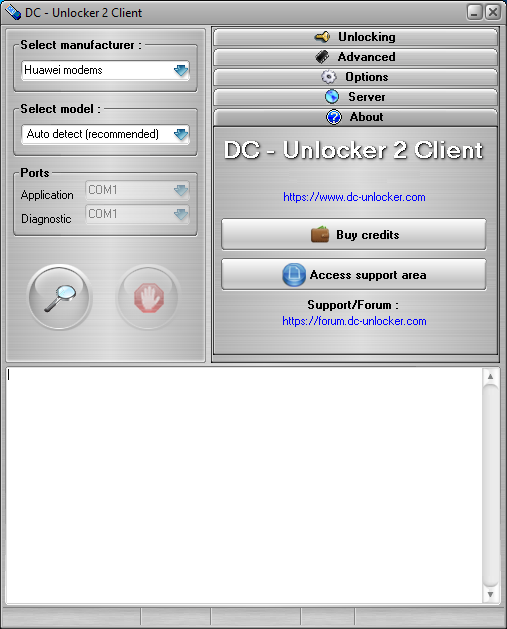
Step 2
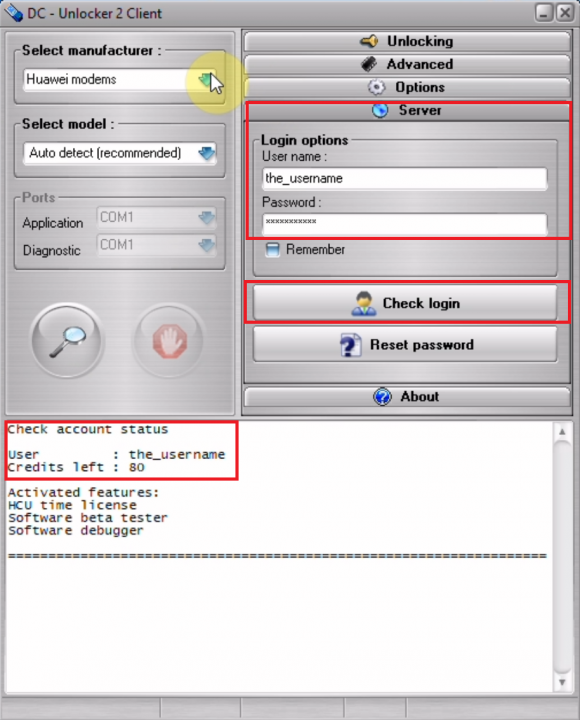
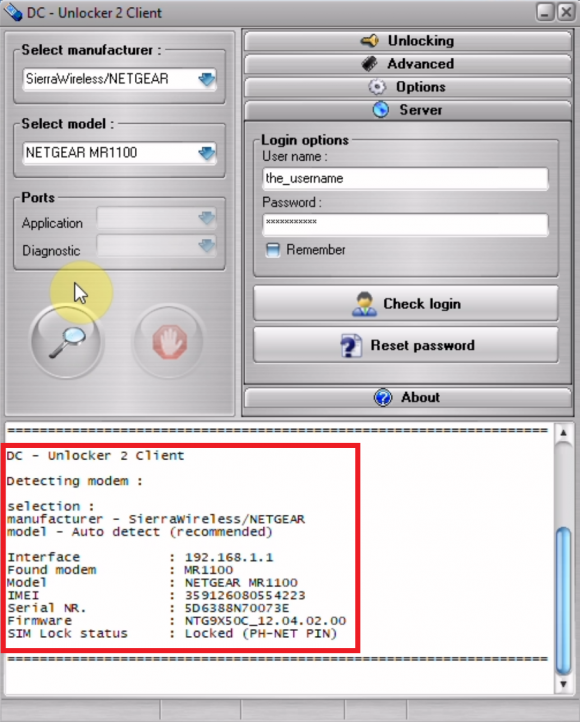
Open Server tab, enter your username and password that you received after credits purchase. Click "Check login". (you can buy credits here www.dc-unlocker.com/buy).
If DC-Unlocker/Vygis/Rocker/Infinity dongle is connected, only click " Check login "
Step 3
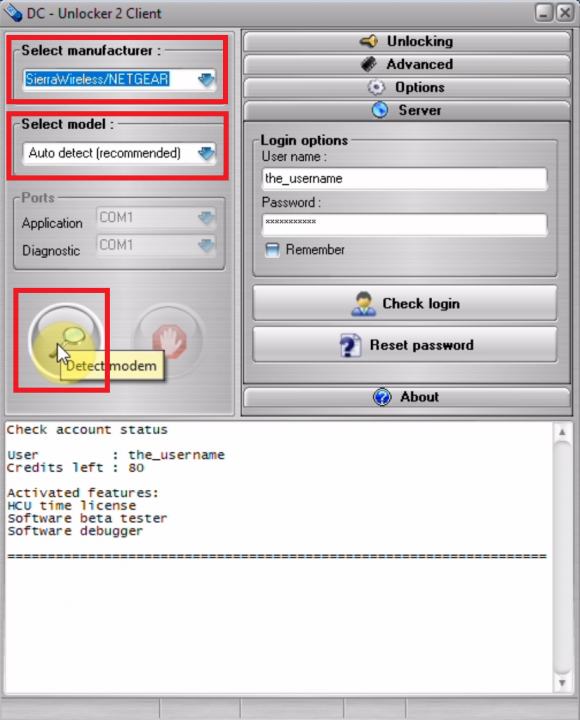
Detect device by selecting SierraWireless/NETGEAR from manufacturers drop down menu list, leave Select model as auto detect (recommended) then click magnifying glass button
Step 4
Wait till program detects device
Step 5
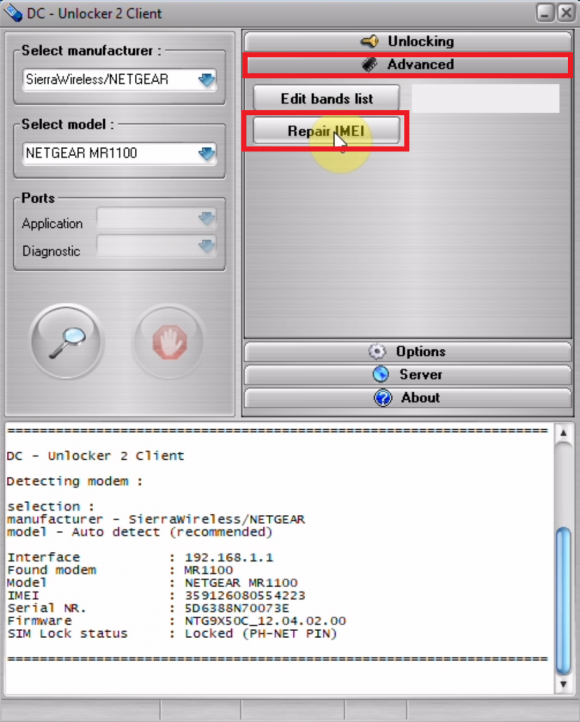
Open Advanced tab, click “Repair IMEI” button
Step 6
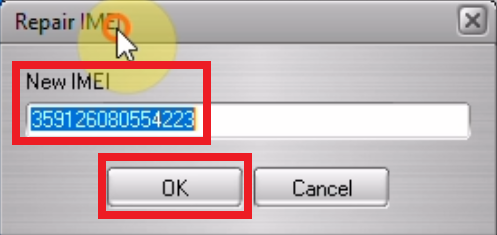
A new window will appear where you will be able to edit current IMEI. After entering correct IMEI press "OK" to Continue.
Step 7
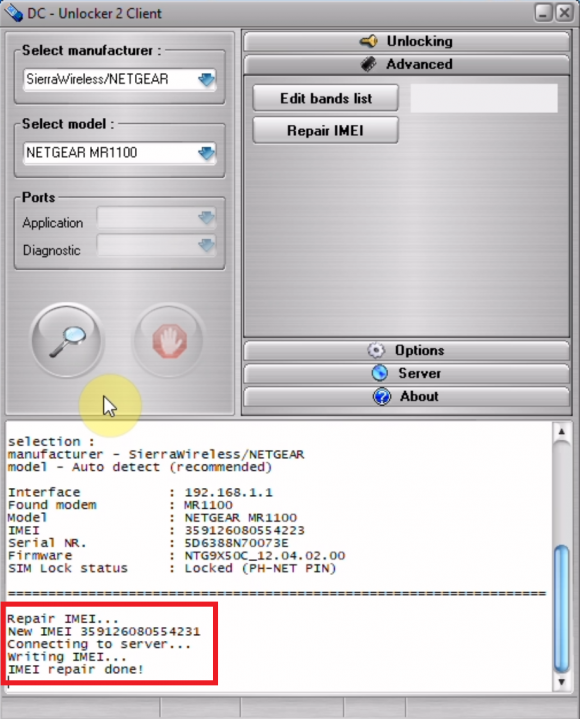
After IMEi repair device will restart
Step 8
After device restarts you may check if IMEI was repaired correctly by detecting device on software again