Huawei B660 modem dhcp settings
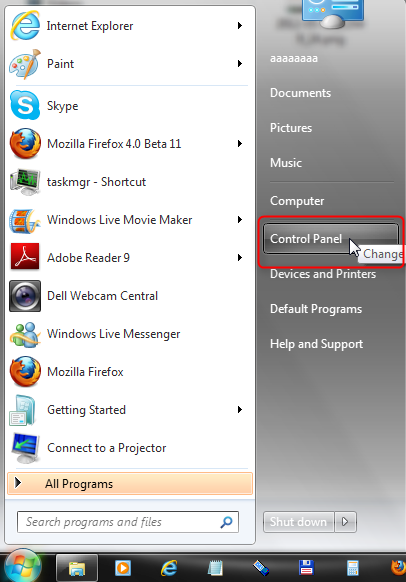
Connect modem to computer. Wait till all drivers install. Click "Start" button. Select "Control Panel".
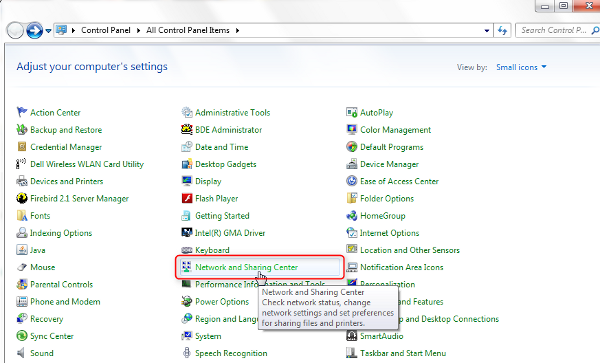
Open "Network and Sharing Center".
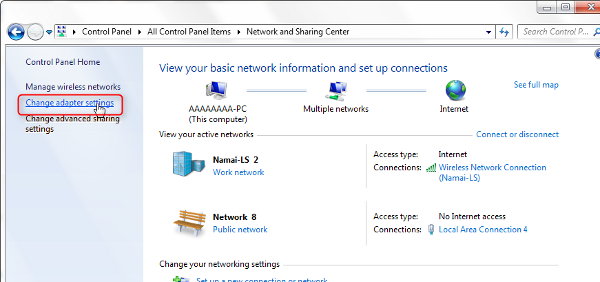
Click "Change adapter settings".
Find Huawei modem connection (your ethernet connection) is named there.
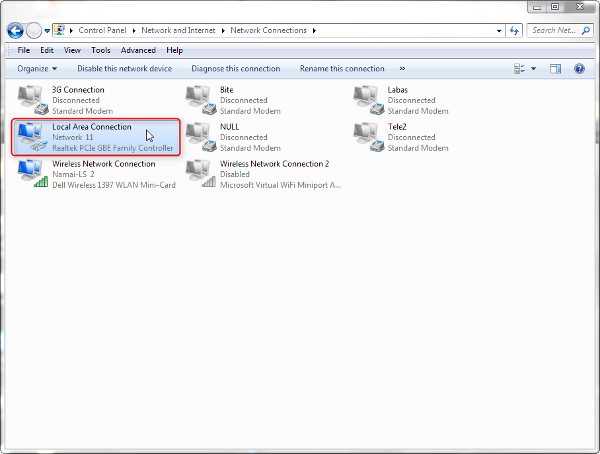
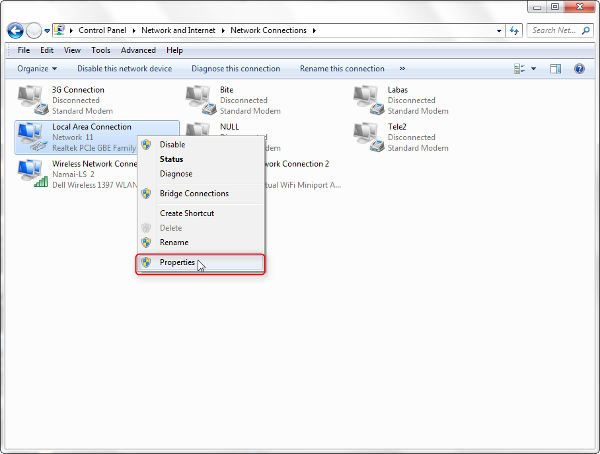
Right click on it, choose "Properties".
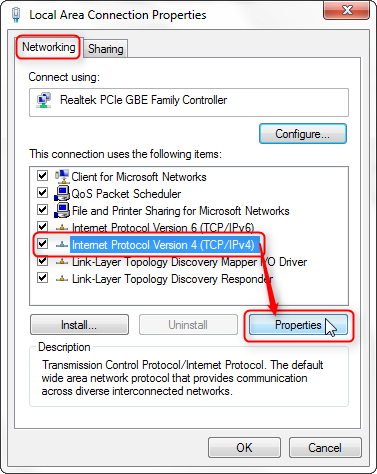
In "Networking" tab select "Internet protocol version 4 (TCP/IPv4)", click "Properties" button.
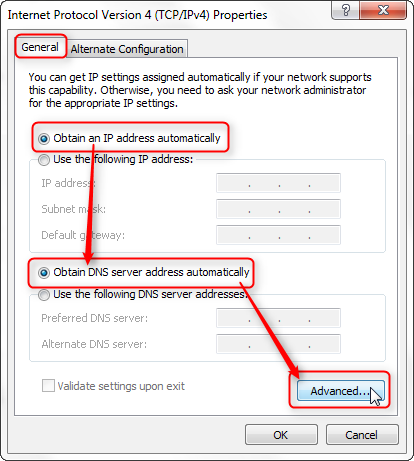
In "General" tab make sure that "Obtain an IP address automatically" and "Obtain DNS server address automatically" are selected, click "Advanced...".
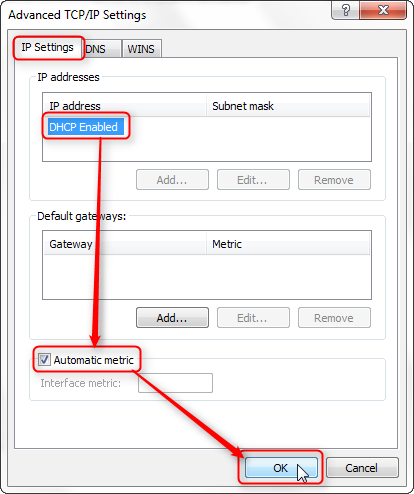
In "IP Settings" tab make sure there is "DHCP enabled" selected and "Automatic metric" box is checked. Click "OK".